Search results (example: “Hugo”)
After submitting a keyword, Open Library returns a list of candidate books.
Interface overview
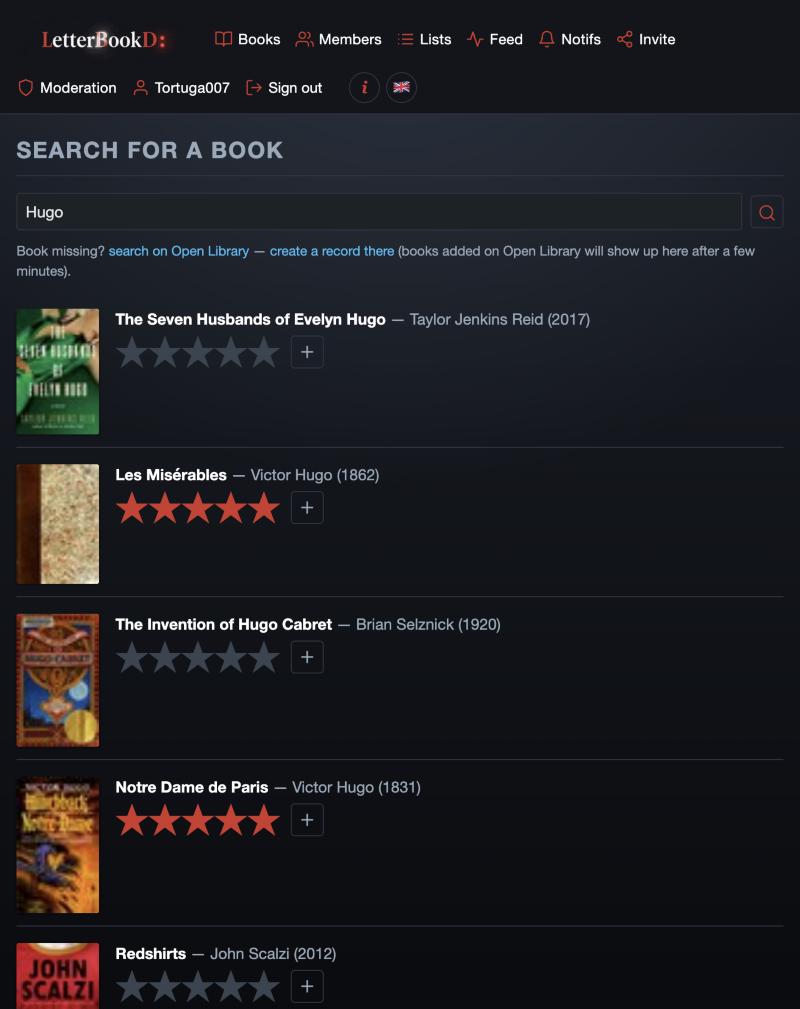
Field recap
- Text bar
- holds the search term (“Hugo” here).
- Red magnifier
- re-runs the search.
Alerts above the list
- Book missing?
- link to search on Open Library and then create a record there — to add a book not shown here.
Each result
- Cover
- Open Library cover, or default cover when missing.
- Title — Author (year)
- book metadata.
- Grey stars
- if you haven't rated this book yet: inline rating widget (click to rate directly without opening the page).
- Red stars
- the rating you've already given to this book.
- “+”
- adds the record to the local catalog and opens the book page.