Lists
Your personal reading lists. A book can belong to several lists at once.
Interface overview
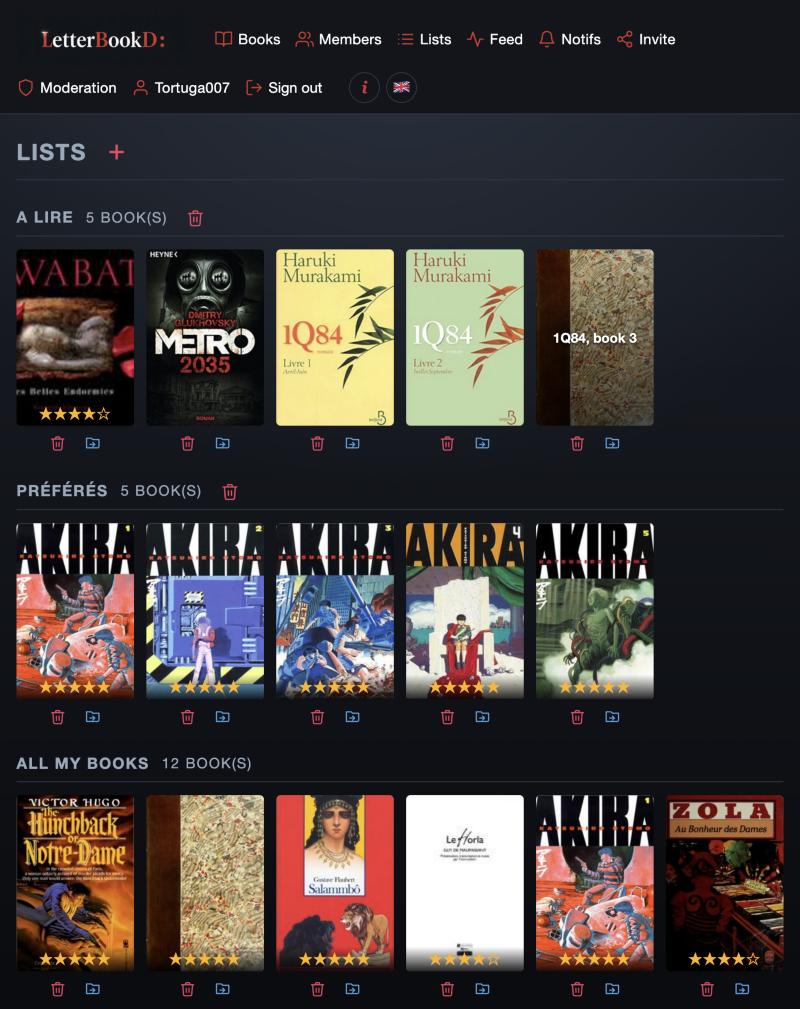
Header
- Red “+”
- button — creates a new list (dedicated page with title and description).
Each list
- Title + book count
- shows the size of the list.
- Red trash next to the title
- deletes the whole list (confirmation prompt).
- Cover grid
- preview of the books; star rating overlay when rated.
- Under each cover: red trash
- removes this book from this list (your reading is untouched).
- Under each cover: blue move icon
- moves the book into another list (pick the target on the next page, one click confirms).
All my books
- Grid
- everything you've recorded (across all lists).
- Red trash
- completely removes the book for you: reading, rating and comments included.